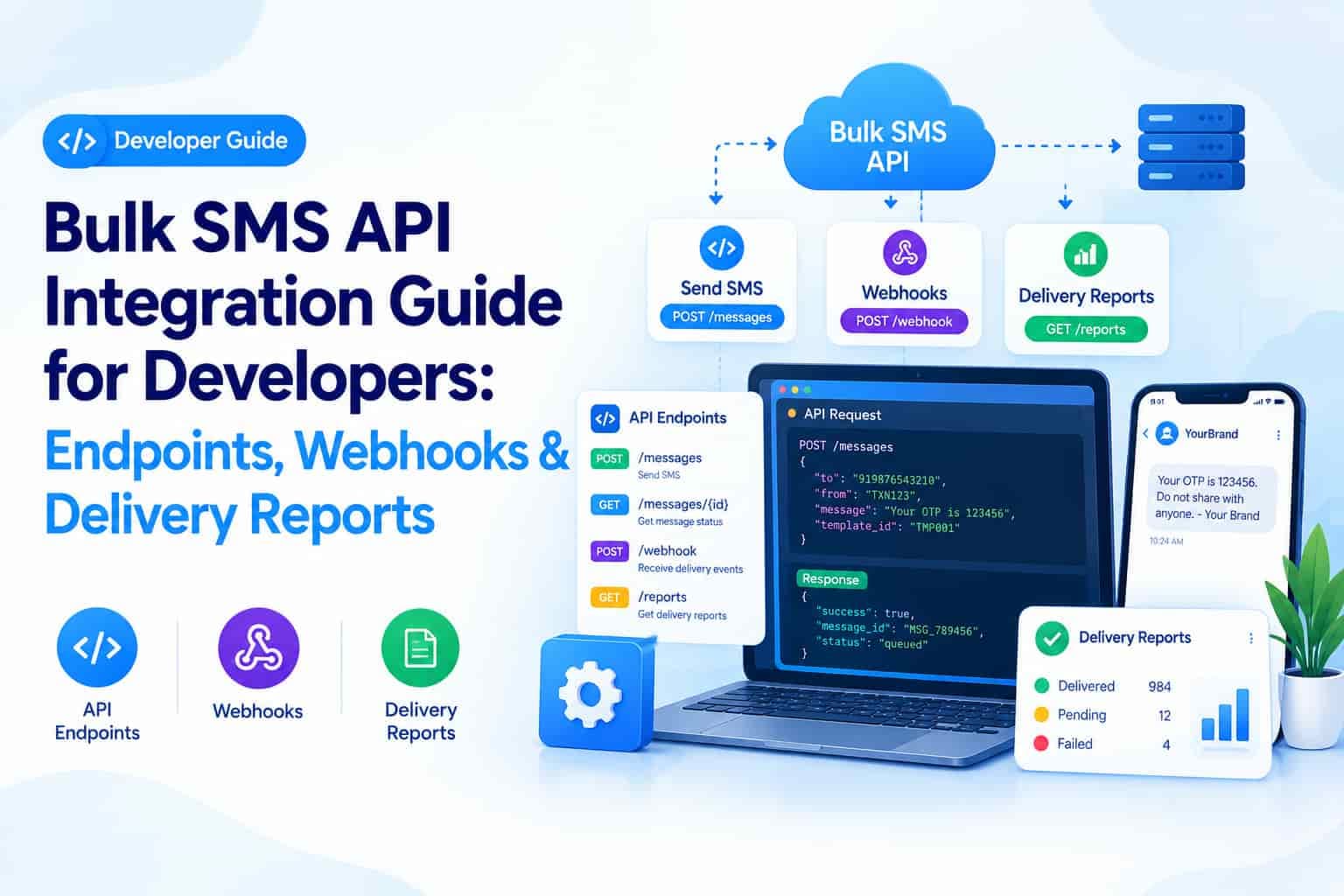
For developers, integrating a Bulk SMS API should feel straightforward — send a request, get a response, track the outcome. In practice, the details around authentication, webhook events, and delivery report codes are where most integration mistakes happen. This guide walks through the core building blocks every developer should understand before shipping SMS functionality to production.
Authentication Basics
Most Bulk SMS APIs use one of two authentication patterns: an API key passed in the request header, or a combination of a client ID and secret exchanged for a short-lived access token. Whichever method your provider uses, never hardcode credentials directly into client-side code — API keys should live only in server-side environment variables.
Core API Endpoints You'll Work With
Send message endpoint
The primary endpoint accepts the destination number, sender ID, message body (or template ID with variable values), and message type (transactional or promotional). A successful call typically returns a unique message ID used for tracking.
Delivery status endpoint
A polling endpoint that accepts the message ID and returns its current status — queued, sent, delivered, or failed — useful for systems that don't implement webhooks.
Balance and account endpoint
Returns remaining message credits and account status, which production systems should monitor to avoid unexpected send failures due to insufficient balance.
Working With Webhooks
Rather than repeatedly polling for status, most production integrations register a webhook URL that the Bulk SMS provider calls automatically whenever a message status changes.
Common webhook events
message.sent — the message has left the gateway and is in transit to the carrier
message.delivered — the carrier confirmed delivery to the handset
message.failed — delivery failed, usually accompanied by an error code explaining why
reply.received — for two-way SMS flows, triggered when a recipient replies to a message
Always validate the authenticity of incoming webhook calls (typically via a signature header or shared secret) to prevent spoofed status updates from reaching your system.
Reading Delivery Report (DLR) Status Codes
Delivery reports typically fall into a handful of categories, and understanding them helps diagnose issues quickly:
DELIVRD: Successfully delivered to the handset.
UNDELIV: The carrier could not deliver the message, often due to an invalid or switched-off number.
EXPIRED: The message expired in the queue before it could be delivered, often due to network congestion.
REJECTD: The message was rejected outright, commonly due to an unregistered sender ID or template mismatch.
Sample Integration Flow
1. POST /v1/messages with { to, senderId, templateId, variables } → returns { messageId, status: "queued" }
2. Webhook received: { messageId, status: "delivered", timestamp } → update order record
3. Fallback: GET /v1/messages/{messageId}/status if no webhook received within 60 seconds
Integration Best Practices
Implement idempotency keys on your send requests to avoid accidentally sending duplicate messages during network retries.
Log every request and response including the message ID, so failed deliveries can be traced back to the exact API call.
Handle rate limits gracefully with exponential backoff rather than firing requests in a tight retry loop.
Validate phone numbers (country code, length, format) before sending, to avoid wasting Bulk SMS credits on malformed numbers.
FAQs
Should I use webhooks or polling for delivery status?
Webhooks are more efficient and provide near real-time updates, but it's good practice to keep a polling fallback for messages where no webhook arrives within an expected window.
What's the safest way to store API credentials?
Store them in server-side environment variables or a secrets manager, never in client-side code or version control, and rotate them periodically.
Why would a message return REJECTD instead of UNDELIV?
REJECTD typically means the message never entered the delivery pipeline at all — often due to sender ID or template registration issues — while UNDELIV means it was accepted but couldn't reach the specific handset.
Conclusion
A solid Bulk SMS integration comes down to getting the fundamentals right: secure authentication, correct use of the send and status endpoints, reliable webhook handling, and a clear understanding of delivery report codes. Developers who build these pieces carefully from the start save themselves from a much harder debugging process later, when a production issue needs to be traced through thousands of message logs.